[TFS – Command-line] – Removing a Team Project
Hello everyone!
A while back, when I first started using TFService (back then it was still called TFSPreview), I ran into the following question: “How do I remove a Team Project in the cloud?” For those who don’t know, Team Foundation Service does not yet have a UI button to delete a team project, so we have to turn to the command line.
The image below shows the parameters for the TFSDeleteProject command. To see this help output, simply type TFSDeleteProject.exe:
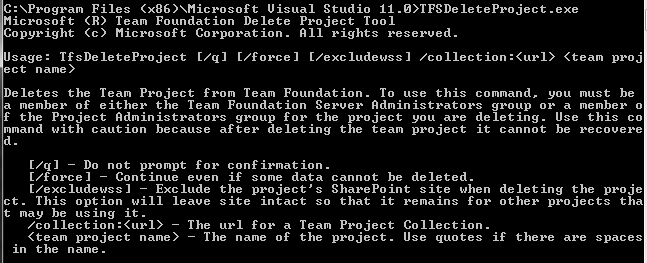
And here is the command executed to delete the team project:

TFSDeleteProject /q /force /collection:TeamProjectCollection/ TeamProject
Simple, right?!
For more information, check the Microsoft library: http://bit.ly/TFSDeleteProject
Cheers!