Retrieving Session Data in Global.asax Events
It is very useful to handle the Application_Error event in Global.asax to log unexpected exceptions in your application. This can be done by overriding the Application_Error method as shown below:
void Application_Error(object sender, EventArgs e)
{
  // Get the exception object
  Exception exc = Server.GetLastError();

  // For other kinds of errors give the user some information
  // but stay on the default page
  Response.Write("<h2>Global Page Error</h2>\n");
  Response.Write("<p>" + exc.Message + "</p>\n");
  Response.Write("Return to the <a href='Default.aspx'>" + "Default Page</a>\n");

  // Log the exception and notify system operators
  ExceptionUtility.LogException(exc, "DefaultPage");
  ExceptionUtility.NotifySystemOps(exc);

  // Clear the error from the server
  Server.ClearError();
}
However, in some situations it is useful to read data from the Session to include additional context — for example, the authenticated user. If you simply access the session from within Application_Error, you may occasionally encounter this exception:
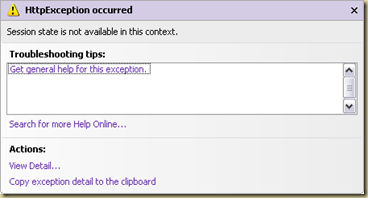
“Session state is not available in this context”
This happens because the current HTTP request is not associated with session state, meaning you cannot access it within that request’s context.
To resolve this, you can wrap session access with the following check:
if (Context.Handler is IRequiresSessionState || Context.Handler is IReadOnlySessionState) {….}
By doing so, you ensure that session state is actually available before trying to read from it.
References: